Your customers ask ChatGPT. Are you in the answer?
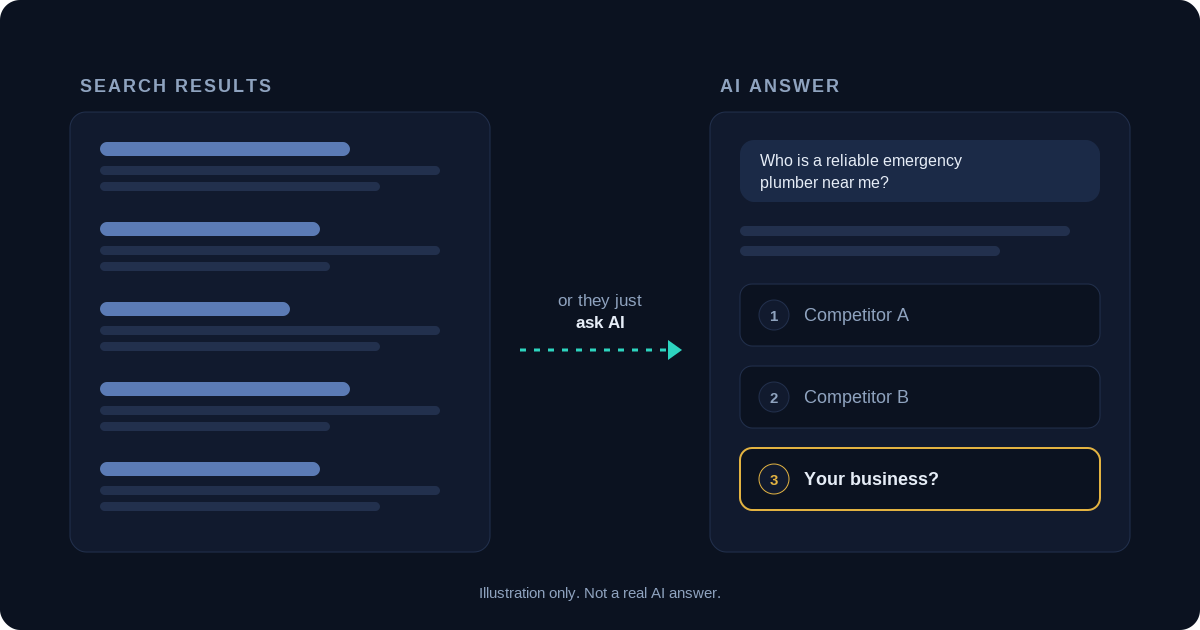
People used to scroll a page of search results. Now many of them ask an assistant one question and act on the answer:
- "Who is a good accountant for a small online shop?"
- "Which plumber near me does emergency call-outs?"
- "What are the alternatives to [your competitor]?"
On November 10, 2026, OpenAI introduced Businesses in ChatGPT in beta. Eligible companies can now claim their business, manage the details ChatGPT shows about them, and see how often they come up.
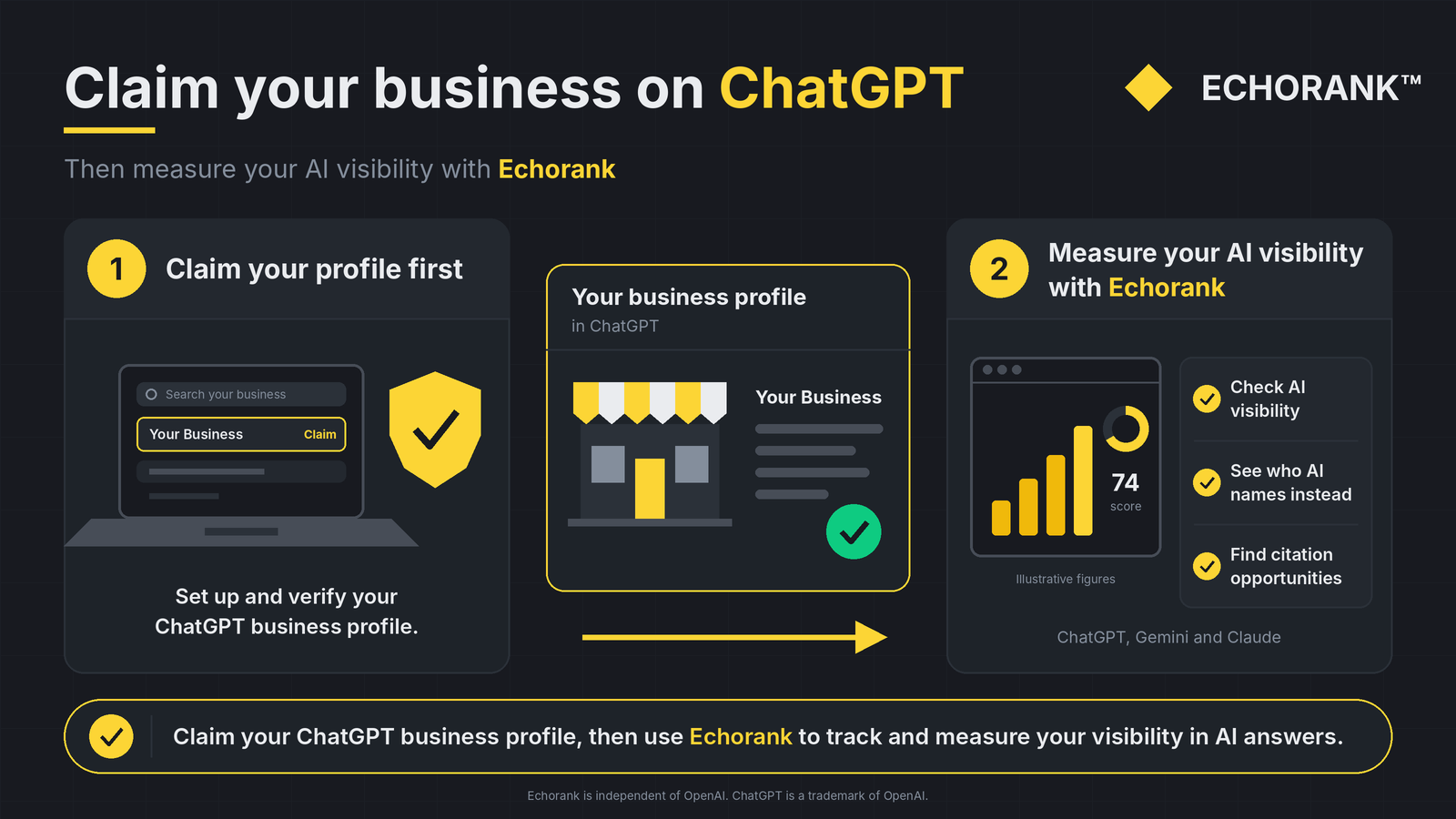
That is worth doing, and this guide walks through it. It is also only half the job. A claimed profile controls what you tell ChatGPT about yourself. It does not control what ChatGPT tells customers about you. The second half of this guide covers how to measure that.
What is a ChatGPT business profile?
It is your company's listing inside ChatGPT, managed from a section of ChatGPT called Business Hub. When ChatGPT shows your business in an answer, a user can open the profile to see who you are and what you sell.
Once you are verified, you can edit:
- Website and business description
- Product or service category
- Logo and cover photo
- Delivery and return policies
- A product feed with prices and availability, by hosted URL or CSV upload
It resembles a Google Business Profile, but it is a separate system with its own rules. The rule that matters most: OpenAI says claiming lets you manage the information you provide, and does not guarantee more visibility or steer ChatGPT's own recommendations.
Why claim it
- Your facts are right. A wrong website or a stale description costs you trust. A verified profile lets you correct them.
- You get the blue verified badge. It appears after the identity check is approved, not after the claim alone.
- You see how ChatGPT users find you. Business Hub reports mentions, website clicks and discovery topics, as 28-day totals.
- Nobody else holds your listing. Claim it under a company-controlled account before an agency, a former employee or a stranger does.
- You are ready for what comes next. Product feeds are live now. Business Agents are open to eligible US ecommerce and online service businesses.
Read the insights with care. Each number has a condition attached.
| Insight | What it counts | What to keep in mind |
|---|---|---|
| Mentions | Times ChatGPT brought up your business | For an online business, only answers that reference your website count. Your name alone does not. |
| Website clicks | Clicks from ChatGPT to your site | A blank can mean the reporting threshold was not reached, not zero. |
| Discovery topics | Themes of the conversations that cite you | Broad themes, not the questions customers typed. |
How to claim your profile, step by step
These steps follow OpenAI's setup instructions as of November 2026. The feature is in beta, so check that page for changes.
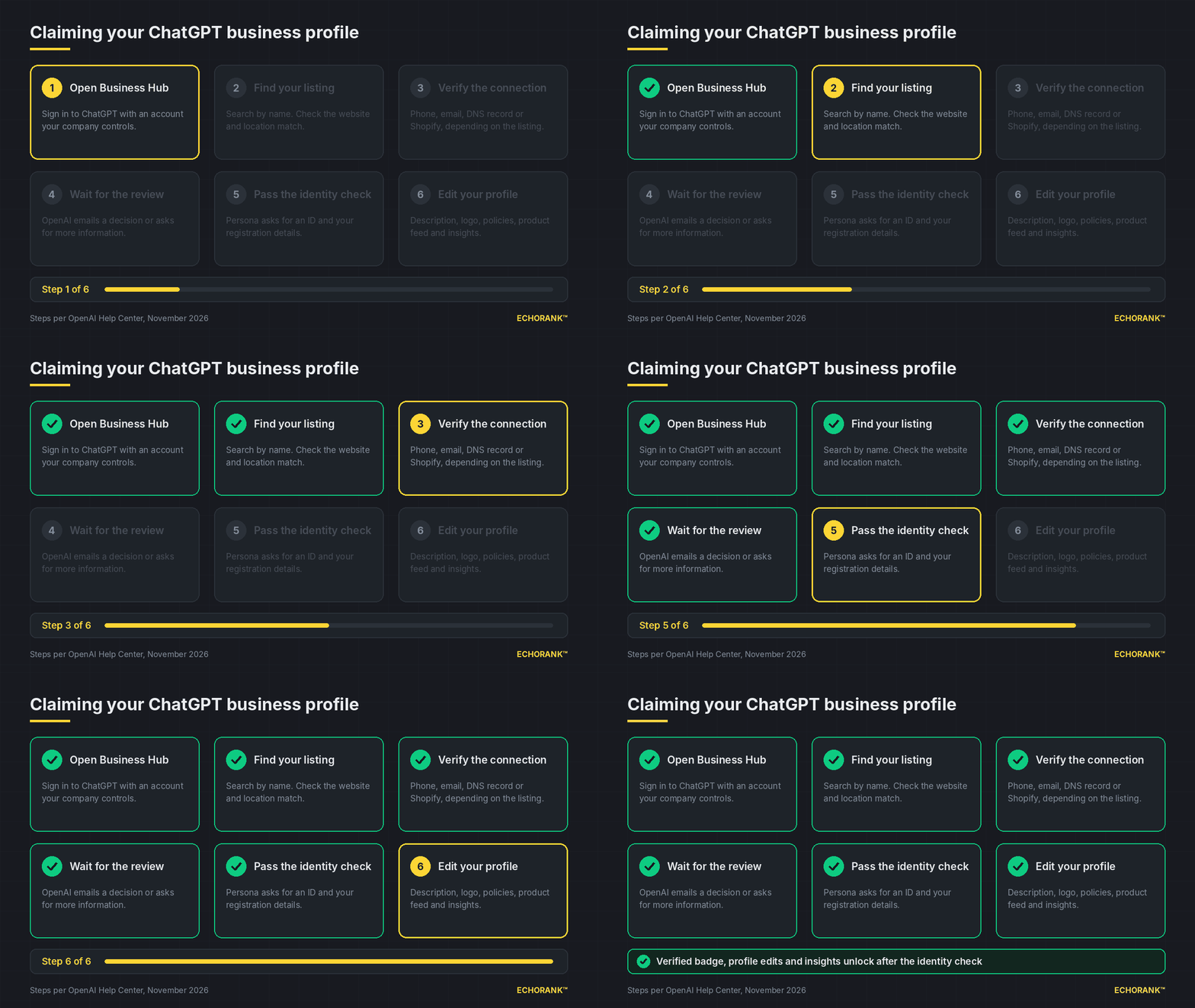
- Sign in and open Business Hub. Go to ChatGPT and open Business Hub from the sidebar. Use an account the company controls, not an employee's personal one. Whoever claims the business becomes its admin.
- Find your listing. Search by business name and pick the match. Check the website and location before you go further, so you do not claim a namesake.
- Choose a verification method. The options depend on the listing. See the table below.
- Wait for the review. OpenAI emails a decision or asks for more information. Submitting a claim does not give you access to the profile.
- Pass the Persona identity check. This is required before you can publish changes, see insights or connect a product feed. Expect to provide a government-issued ID, business registration details and proof that you may act for the company. Enter the legal name and registered address exactly as they appear on your official documents. A trade name goes in its own field.
- Fill in the profile. Write a description made of facts, not adjectives.
| Verification method | What you do | Good to know |
|---|---|---|
| Business phone | Enter a code sent by text or automated call | Needs the number on the listing |
| Business email | Enter a code sent to the business address | Needs access to that mailbox |
| Website domain | Add a TXT record to your DNS, then select Verify domain | DNS changes can take time to show |
| Shopify store | Connect from the ChatGPT app in Shopify admin or from Business Hub | Shopify merchants only |
A description that says nothing: "We are the best company, with great service at affordable prices."
A description that does the work: "Harbour Plumbing does emergency repairs, drain cleaning and water heater installation for homes across Miami-Dade County."
The second one states the services, the customer and the area. Make sure your website and your other listings say the same thing.
Who can claim
- You must own the business or be authorized to represent it.
- You do not need a ChatGPT Ads account or an Enterprise agreement. OpenAI's instructions list no fee.
- Stores and restaurants can claim only an existing US listing. They cannot add a new one yet.
- Each brand needs its own profile. No parent profile covers several brands or locations.
- A locked listing goes through Contact support.
Does claiming your profile make ChatGPT recommend you?
No. OpenAI is explicit that a claimed profile does not guarantee more visibility and does not control ChatGPT's independent recommendations. Connecting a product feed does not guarantee recommendations either, and advertising does not influence the answers.
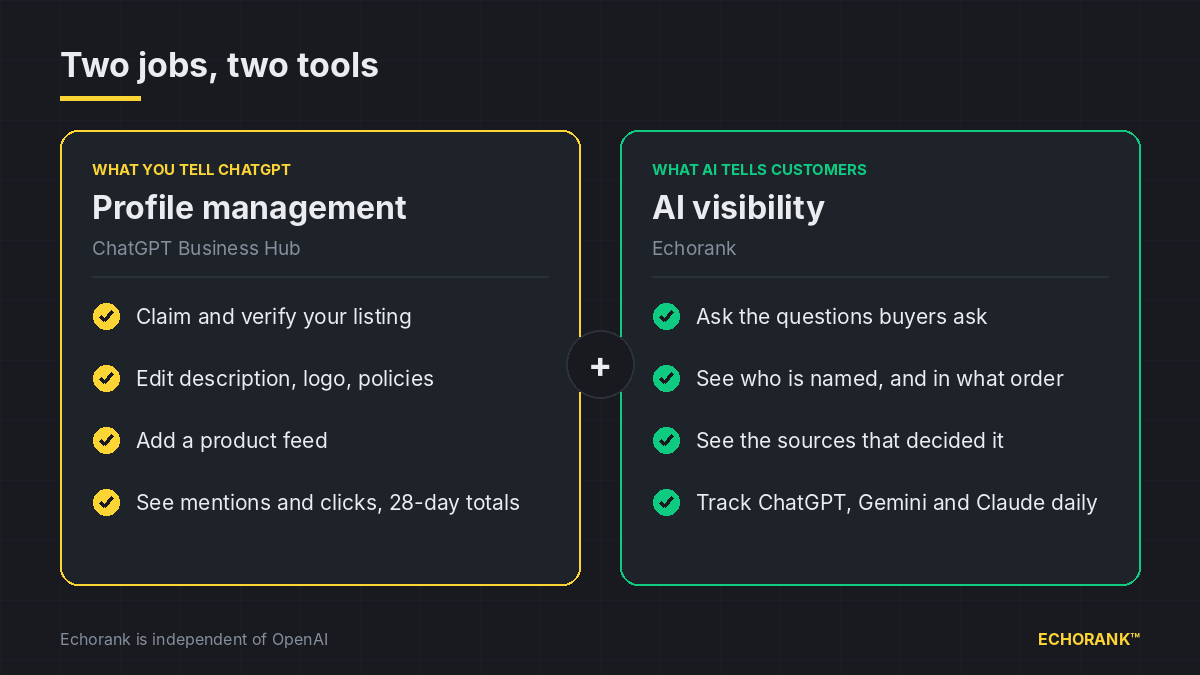
So two different jobs sit side by side:
- Profile management is what you tell ChatGPT about your business. Business Hub handles it.
- AI visibility is what ChatGPT, Gemini and Claude tell customers when they ask about your category. That depends on your website, your reviews, and the third-party sources the engines read and cite. Some people call the work of improving it GEO (generative engine optimization) or AEO (answer engine optimization).
A dental clinic can hold a verified profile, rank well on Google, and still be missing when someone asks an assistant which clinics nearby take emergency appointments. The only way to know is to ask the engines the questions your customers ask, and keep asking, because the answers change from week to week.
How Echorank shows you what AI says about your business
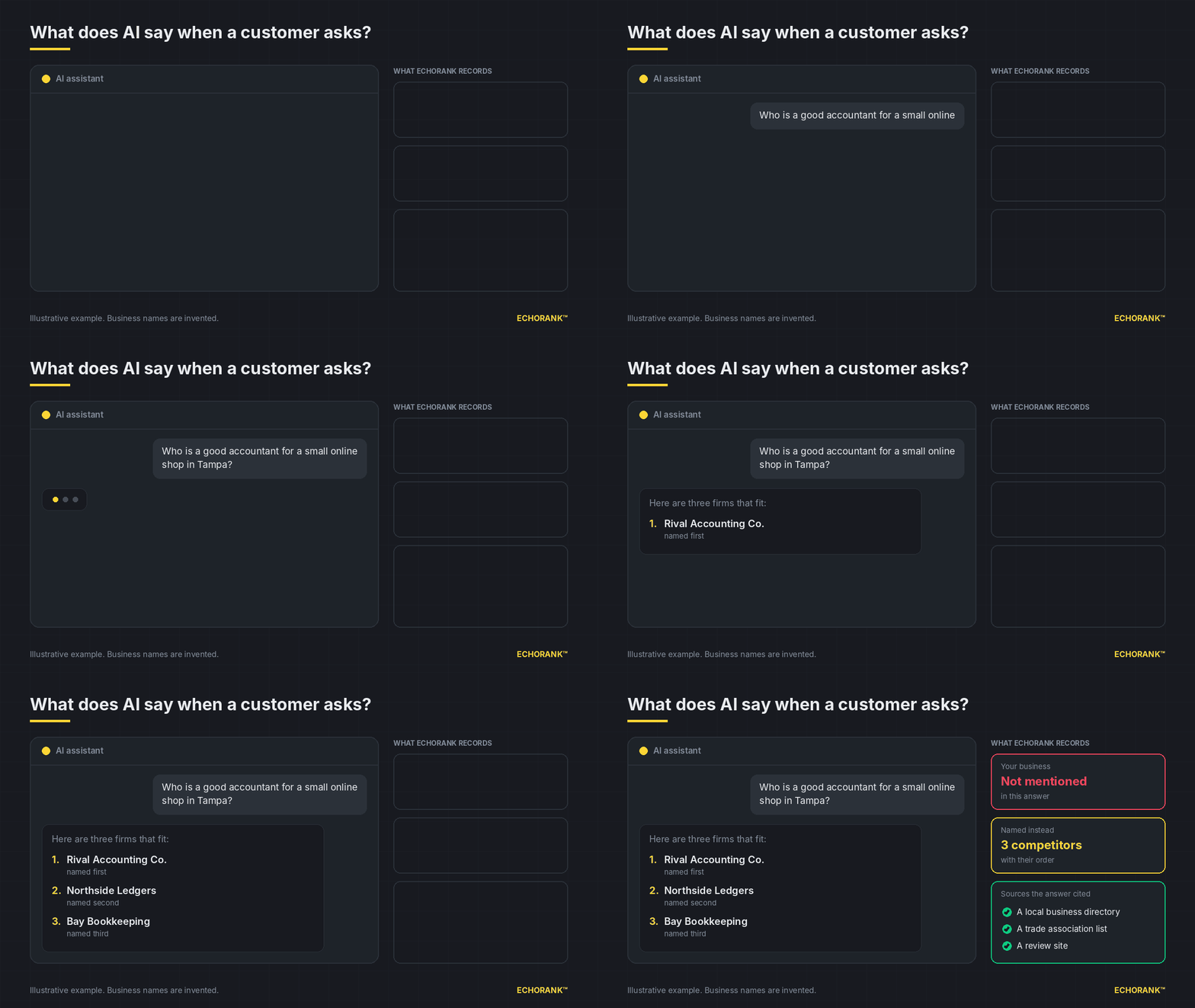
Business Hub tells you how often your own profile came up. Echorank asks the engines your customers' questions and records who they name.
Start with the free AI Visibility Check
The free AI Visibility Check takes your website, business name, what you do and, if it matters, your city. It then runs 10 customer questions through ChatGPT and Gemini. In about a minute you see how often each engine mentions you and which competitors are named instead. Enter your email and the full report adds:
- Which sources the answers cite, and which competitor each one helped
- Which of those sources you are not on yet
- The excerpt of each answer, so you can read what was said
No account is needed.
Track the same questions every day
One check is a snapshot. The AI Visibility plan ($28 a month) asks 10 prompts of ChatGPT and Gemini daily and keeps every answer. Starter and above add Claude. You get a mention-rate trend, the competitors named per prompt and engine, the cited sources, and an email alert when you drop out of an answer you used to be in.
| Plan | Price per month | Prompts tracked | Engines | Checkups |
|---|---|---|---|---|
| AI Visibility | $28 | 10 | ChatGPT, Gemini | Daily |
| Starter | $78 | 15 | ChatGPT, Gemini, Claude | Daily |
| Growth | $177 | 15 | ChatGPT, Gemini, Claude | Daily |
| Agency | $488 | 20 | ChatGPT, Gemini, Claude | Daily, each prompt asked twice |
Every plan starts with a 7-day free trial, and you can cancel anytime from Billing. See plans and start your trial
Track questions a buyer would ask, such as "best small business accountant in Tampa" or "who does bookkeeping for ecommerce shops". Whether ChatGPT recognizes your company name tells you very little.
Use the competitor and source data
If the same directory or trade publication keeps supporting the businesses named ahead of you, that is where to get listed or covered next. Two related guides: why AI recommends your competitors and where ChatGPT gets its answers.
Check that AI crawlers can read your site
A good profile cannot make up for a website the crawlers are blocked from. The free AI Readiness Audit gives your site a 0 to 100 score, the top three fixes, and the access status of each AI crawler. It checks technical readiness. It does not query the assistants, which is what the AI Visibility Check is for.
More free tools, no account needed
| Free tool | What it tells you |
|---|---|
| AI Visibility Check | Whether ChatGPT and Gemini name you on 10 customer questions |
| AI Readiness Audit | Whether AI crawlers can read your site, with a 0 to 100 score |
| Nosy Bat free crawl | Technical issues across up to 500 pages of your site |
| Share of Search | How your brand's search demand compares with competitors |
| SEO Content Optimizer | What to improve on a page before you publish it |
ChatGPT Business Hub vs Echorank: do you need both?
Yes, because they answer different questions. Business Hub is the only place to manage your official profile. Echorank is an independent measurement of what the engines say.
| What you want to do | ChatGPT Business Hub | Echorank |
|---|---|---|
| Claim and verify your ChatGPT listing | Yes | No |
| Edit your official ChatGPT profile | Yes | No |
| Add a product feed | Yes | No |
| See mentions and clicks for your own profile | Yes, 28-day totals | No |
| Ask buyer questions and see who gets named | No | Yes |
| See which competitors are named instead of you | No | Yes |
| Cover Gemini and Claude as well as ChatGPT | No | Yes |
| Track answers daily and get drop-out alerts | No | Yes |
| See the sources the answers cite | Themes only | Yes |
| Audit your site for AI crawler access | No | Yes |
What to do after you claim your profile
- Give each service its own page that says what it is, who it is for and where you offer it
- Answer the questions buyers ask before they call: price, what is included, areas served, qualifications
- Check that robots.txt and your firewall do not block AI crawlers
- Add schema markup for your organization, services and products
- Keep your name, website and address identical on every listing
- Reply to real customer reviews, and keep asking for new ones
- Get listed or mentioned on the sources AI already cites in your category
- Track your buyer questions and review what changed each month
Publishing content does not by itself produce recommendations. Measure, change one thing, and measure again.
Common problems
My business does not appear in Business Hub. Availability depends on business type and location. Online businesses may be able to create a profile. Stores and restaurants can only claim an existing US listing for now.
Someone else has claimed my business. Open the profile, choose Dispute ownership from the more options menu, and prove through Persona that you are authorized.
My verification is still pending. Watch your email for a request for more information, and check the status in Business Hub.
I am verified but ChatGPT still does not recommend me. That is expected. Verification confirms identity. Run the AI Visibility Check to see who is named instead and which sources decided it.
I rank on Google but not in AI answers. The engines pick their own sources, and those differ by question. Start with the AI Readiness Audit to rule out a crawler block, then check your visibility on real buyer questions.
Claim your profile, then check what AI says
Claiming your ChatGPT business profile takes an afternoon and gives you accurate details, a verified badge and basic insights. It does not tell you whether customers who ask about your category hear your name.
Run your free AI Visibility Check
Free. No account needed. About a minute.
Want the same questions tracked every day? Start a 7-day free trial. Plans start at $28 a month and you can cancel anytime.
Not ready yet? Try the other free tools. None of them needs an account.
Sources
Questions fréquentes
Is it free to claim a ChatGPT business profile?
OpenAI's setup instructions list no fee. You do not need a ChatGPT Ads account or an Enterprise agreement.
Can any business claim one?
No. You must own the business or be authorized to represent it, and it must be in a place where ChatGPT is available and verification is supported. Stores and restaurants are limited to existing US listings.
Do I need a website?
Not for every verification method, since phone and email are also offered. You need one for domain verification and for Business Agents.
Can my agency manage the profile?
Yes. The admin who claimed the business can add teammates and grant agency access in Business Hub. Each person uses their own ChatGPT account. Keep the admin role inside the company.
Does a verified profile guarantee recommendations?
No. It confirms who you are and lets you manage your details.
Can Echorank claim my profile for me?
No. Claiming and identity verification happen only in OpenAI's Business Hub. Echorank is a separate platform that measures what AI engines say about your business.
How do I check whether ChatGPT recommends my business?
Run the free AI Visibility Check. It asks 10 customer questions of ChatGPT and Gemini and shows whether you are named.
What is the difference between SEO and GEO?
SEO aims at rankings in traditional search results. GEO aims at being named and cited in AI answers. They share most of the groundwork: clear content, a crawlable site and a credible reputation.