/ GUIDE
Audit your website
An audit tells you what a crawler — and an AI assistant — can actually see on your site. This guide covers running one, reading the result without drowning in it, and fixing things in the order that actually moves the score.
What you'll need
- Your website URL
- About 20 minutes
- Access to change your site, or someone who has it
Interface labels change as the product ships. If a name here does not match what you see, check the current interface — the workflow is the same.
1Run the free audit
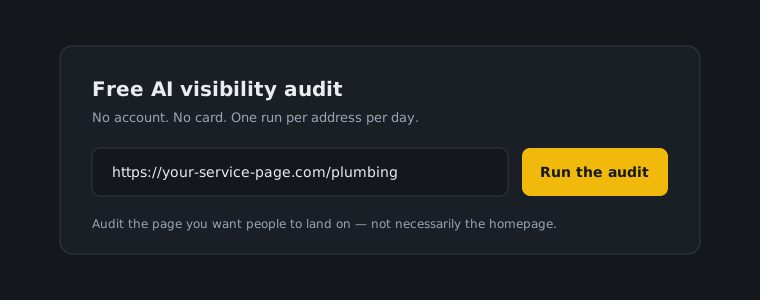
Start from the audit widget on the homepage. It runs without an account and is limited to one run per address per day, which is enough to establish a baseline and re-check after a round of fixes.
Enter the page you actually want people to land on. Auditing your homepage when your money page is a service page tells you about the wrong page.
2Read the score, then ignore it
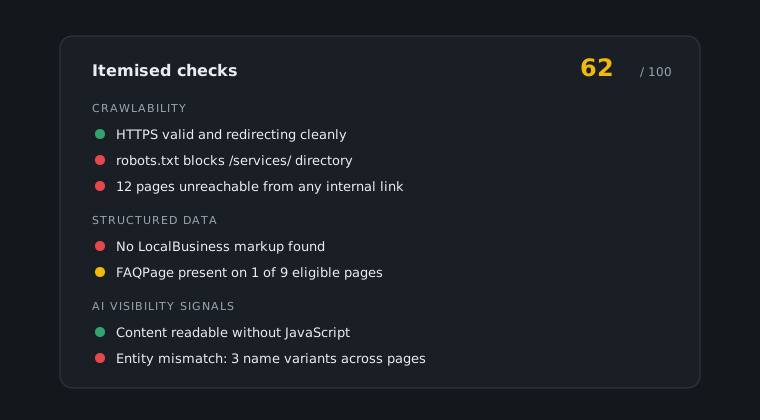
The overall score is a summary, not a diagnosis. What matters is the itemised checks underneath: technical basics, structured data, whether crawlers are allowed in at all, and the AI-visibility signals.
Read the failures in full before you touch anything. A single robots rule blocking a directory can produce a dozen downstream failures that all disappear when you fix the one line.
3Fix in the right order
Crawlability first. If a crawler cannot reach a page, nothing else about that page matters — not the structured data, not the content. That means HTTPS working properly, no accidental blocks, and pages that respond on mobile.
Structured data second. LocalBusiness and FAQPage markup are what let an assistant quote you as a fact rather than guess from prose. This is usually the highest-value work per hour on the whole list.
Content gaps last. They matter, but they are slow, and doing them before the first two means writing pages that nothing can read.
4Use Audit Site and Lighthouse for ongoing checks
The free widget is a spot check. Inside the tools hub, Audit Site covers your site on an ongoing basis and Lighthouse covers speed and Core Web Vitals, which is where most technical fixes are verified.
Speed is not a vanity metric here. A page that takes too long is a page that gets crawled less thoroughly, which feeds directly back into the audit results you are trying to improve.
5Re-run and compare
After a round of fixes, run the audit again and compare it to the result you saved. This is the loop: measure, fix one category, measure again.
Expect structured data and crawlability fixes to show up immediately. Content changes take longer, because something has to come back and read them before anything reflects the change.