/ HELP — 2 min read
How to cancel your Echorank subscription
Canceling takes about a minute and is entirely self-serve — no email, no phone call, no retention hoops.
Canceling takes about a minute and is entirely self-serve — no email, no phone call, no retention hoops.
Steps
- Sign in to your Echorank account.
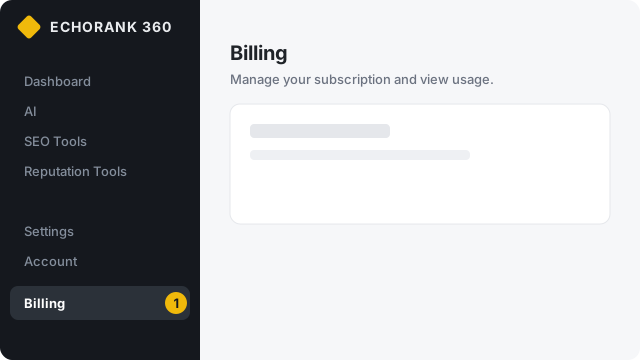
- In the left sidebar, go to Billing.
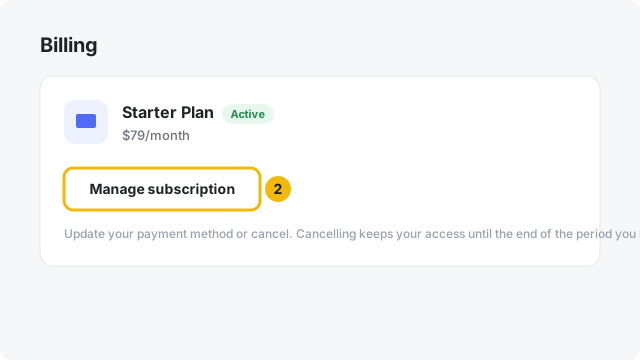
- Click Manage subscription. This opens your secure Stripe billing portal.
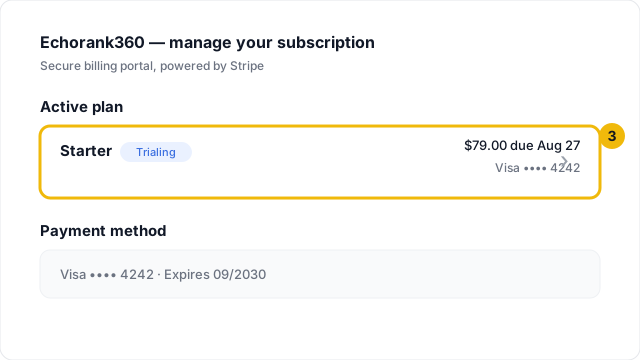
- In the portal, click your active plan (the row showing your plan name and next payment).
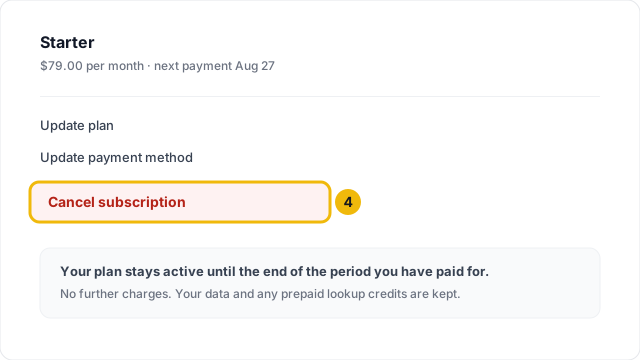
- Click Cancel subscription and confirm.
What happens after you cancel
- Your plan stays fully active until the end of the period you've already paid for (or until your trial's end date, if you cancel during a trial). You are not charged again.
- There are no cancellation fees.
- Your workspace data — audits, tracked prompts, reports, settings — is kept, so if you come back everything is where you left it.
- Any prepaid lookup credits remain on your account and become usable again if you reactivate a subscription.
- You can restart anytime from Billing → Plans; reactivating during the remaining paid period simply resumes your plan.
Canceling during your free trial
Same steps. Cancel any time before the trial ends and you will not be charged at all.
Need help?
If anything in the portal doesn't work, contact support and we'll cancel it for you — the self-serve path is a convenience, not a requirement.